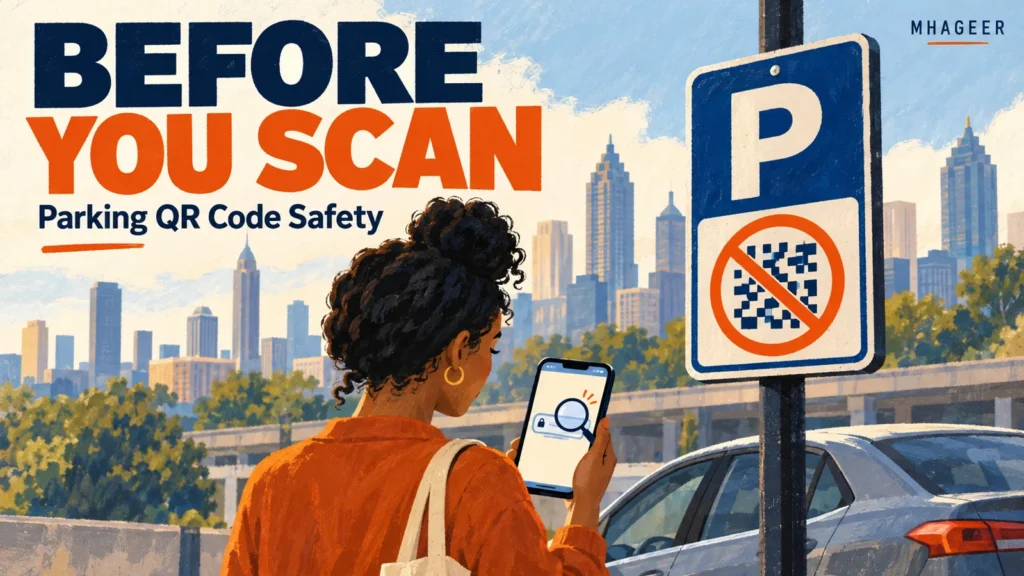
Cover: AI-generated editorial illustration, not a photograph of a reported incident.
You found a parking space. Lunch is waiting. There is a QR code on the sign, and paying looks like the easiest part of the afternoon.
Before you tap, give that little square a moment of attention. A QR code can be a convenient shortcut, but the destination still matters.
The Federal Trade Commission warns that people have reported fake codes placed over legitimate ones on parking meters. The replacement can lead to a site designed to collect money or personal information.
This is a practical guide for Atlanta outings and trips elsewhere. It does not identify a particular Atlanta lot as fraudulent or claim that Mhageer has investigated a local incident.
The useful question: where does this link lead?
A printed code does not tell you who operates the website behind it. Treat it as an invitation to check a destination, not as proof that you have reached the parking company.
The FTC recommends inspecting the previewed address for misspellings or substituted letters before opening it. If the destination is unfamiliar, stop and verify the operator independently. A convincing logo on the next screen does not answer that question.
Also separate the payment method from the parking rules. Even after finding the genuine service, you still need the correct location, vehicle details, and permitted parking time. A safe payment made for the wrong zone can create a different problem.
Use a short pause before entering your card
1. Look at the sign
Check for a sticker covering another label, damaged instructions, or conflicting operator names. Those are reasons to investigate, not proof by themselves that a sign is fake. A replacement sticker might be legitimate; an untouched sign is not a guarantee either.
2. Establish who manages this space
Is this city-managed street parking, a private lot, or a garage connected to a venue? Do not assume that a payment app used on one Atlanta street applies to every nearby property.
For city-managed parking, begin with the City of Atlanta’s parking program page. For private parking, verify the operator through the venue or a previously known official website. If you ask staff, make sure they actually represent the property or operator.
3. Reach the payment service independently
Use an official app you already know, or navigate through the verified operator’s website. Do not download an app merely because an unfamiliar payment page tells you to. Compare the location or zone information with the space where your car is parked.
Be careful with search results too. The FTC warns that scammers can appear in search results, including ads and misleading business contact details. The first result is not a verification method.
4. Check the whole transaction
Read the location, amount, duration, and vehicle information before confirming. Keep the genuine payment receipt or session confirmation. A screenshot can help you remember what you paid for, but it cannot turn a fake checkout into a valid parking session.
If you cannot establish a legitimate way to pay, contact the verified operator or choose another space where you can follow the posted rules. Do not assume that a suspicious code gives you permission to leave the car unpaid.
A lock icon does not settle the question
A familiar design, official-looking colors, and a browser lock can make a page feel reassuring. They do not establish who runs it.
The FTC explains that HTTPS indicates encryption, not that a website is legitimate. Scammers can use encrypted websites too. Confirm the operator and destination before treating the checkout as trustworthy.
Think of two separate checks: “Is this the right company?” and “Is this the right parking session?” You need both answers, even when the screen looks polished.
Already scanned? Match the response to what happened
Do not panic, and do not assume every scan means your accounts have been taken over. Work out what you actually opened, entered, downloaded, or approved. Those details determine the next step.
| What you did | Next step |
|---|---|
| Only previewed the address | Do not open a suspicious destination. Verify the parking operator separately. |
| Opened the page, entered nothing | Close it and avoid further interaction. Do not follow its support links or download prompts. |
| Entered a password | Change it through the genuine service, including other accounts where you reused it. Enable multifactor authentication. |
| Entered card details or paid | Contact the card issuer or bank promptly through its official app or the number on your card. Explain what happened. |
| Installed software or granted device access | Use trusted device-support and security guidance; do not let the suspicious page provide your recovery instructions. |
The FTC’s recovery guide recommends contacting your payment provider promptly and asking about reversing a fraudulent payment. Recovery is not guaranteed. If you installed suspicious software or gave someone device access, it also provides security and trusted-support guidance.
Keep relevant receipts and the suspicious address if you can do so without reopening it. Review transactions and follow your provider’s instructions. Use ReportFraud.ftc.gov to report the scam. If personal information has been misused, IdentityTheft.gov provides recovery guidance.
Save this before your next outing
Before leaving home, update your phone and apps and protect accounts with strong passwords and multifactor authentication. Those steps support safer everyday use; they do not replace checking the link in front of you.
Whether you are heading to the Sweet Auburn Curb Market, meeting friends for dinner, or exploring another city, keep a little breathing room in the plan. Being late for a snack is inconvenient. Handing your details to the wrong website is a much bigger interruption.
Editorial note: Researched October 10, 2026 using linked FTC guidance and the City of Atlanta’s parking information. This is general prevention and response guidance, not a report of verified fraud at a named Atlanta location. Illustrations are AI-generated concepts; they contain no payment codes to scan.